10 Small Business Tasks You Can Automate in Under an Hour
Running a small business means constantly switching between the meaningful work you enjoy and the repetitive work that drains your attention. The truth is that many of the tasks that feel stressful or time consuming are perfect candidates for simple automation.
These are not complex systems. You can set up every one of these in under an hour and immediately create more space in your operations.
Below are ten practical automations that almost every small business can benefit from. Each includes what it does, how it actually functions inside your business, and the tools you need to get it running.
1. Automate New Lead Capture to Your CRM
What it does
Whenever someone fills out a form on your website, the information flows directly into your CRM with the correct tags and context.
Why it matters
Having a consistent pipeline is one of the simplest ways to improve your sales process. When every lead is recorded the moment they arrive, follow up becomes reliable and sales do not slip through the cracks.
How to set it up
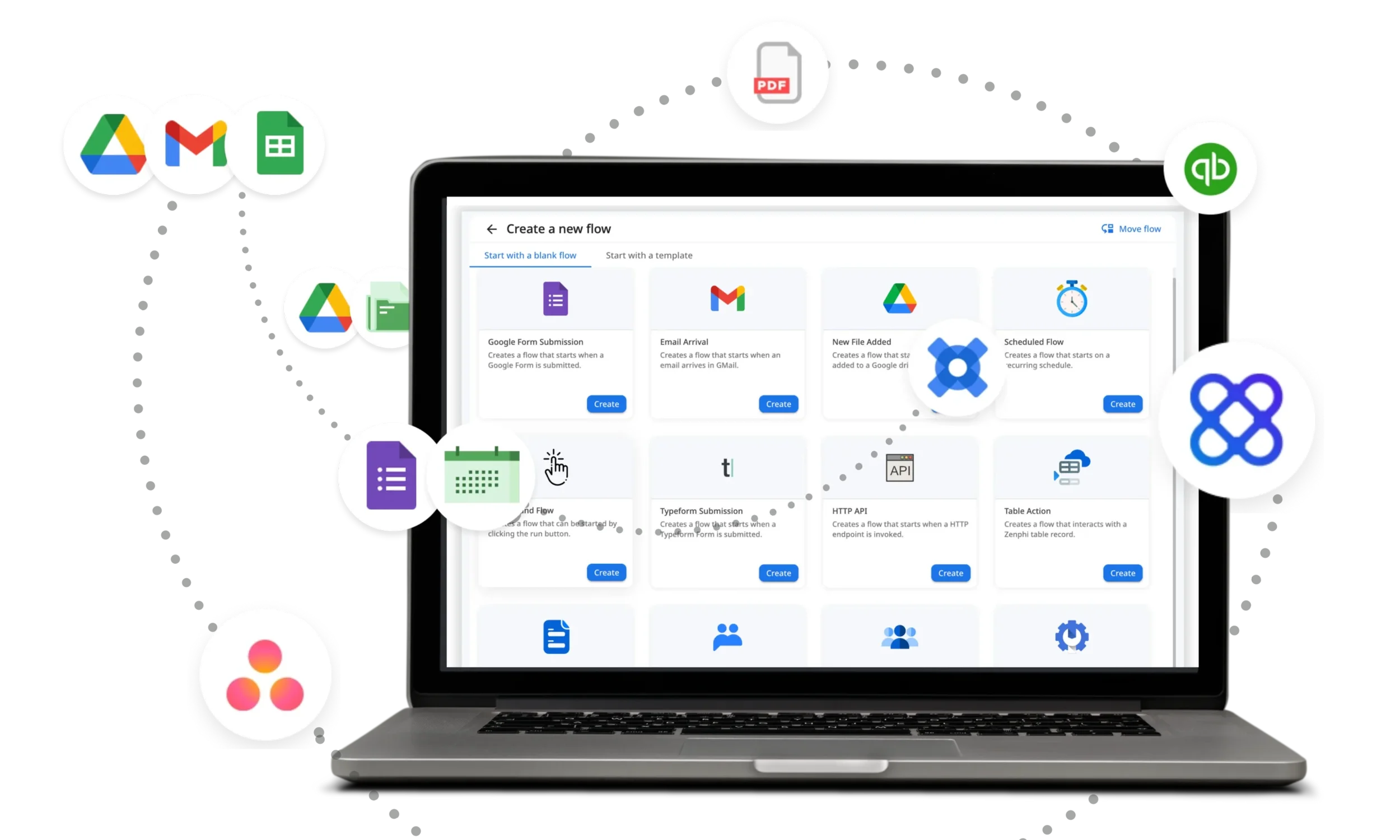
Create or select your main form inside your website builder or a tool such as Typeform.
Open Zapier or Make or N8N and select the trigger New Form Submission.
Connect this trigger to your CRM and map the fields name email company and message.
Add simple logic such as a lead tag or an automatic follow up task.
Tools to use
Zapier for the easiest setup
Make for more flexible workflows
HubSpot Free for built in CRM and form capture
2. Automate Your New Subscriber Welcome Email
What it does
The moment someone joins your email list they receive a friendly welcome message without you doing anything.
Why it matters
Your audience receives a consistent first impression and every subscriber immediately understands the value your business provides. This creates trust before you ever send your first newsletter or campaign.
How to set it up
In your email platform create an automation with the trigger New Subscriber Added.
Write a short welcome email with your introduction the type of content you send and a clear Start Here link to your best resource.
Optional but powerful Tag subscribers based on where they joined from such as your website blog or social channels.
Tools to use
ConvertKit for simple creator friendly automations
Beehiiv for fast growing newsletters
Mailchimp for an easy visual builder
3. Automate Calendar Scheduling and Appointment Booking
What it does
Prospects and clients book time directly on your calendar without any back and forth emails.
Why it matters
Scheduling becomes effortless. Clients find a time that works for them and the meeting automatically appears in your calendar with reminders already set.
How to set it up
Connect your Google or Outlook calendar to a scheduling tool.
Create event types such as intro call onboarding call or coaching session.
Turn on automated confirmations reminders and follow ups.
Tools to use
Calendly for a polished experience
Cal dot com for more customization
Acuity for service based teams
4. Automate Social Media Content Distribution
What it does
Posts automatically publish to multiple platforms based on a schedule you set.
Why it matters
Your content becomes consistent even during busy weeks. You can batch create posts once and let the system handle the publishing.
How to set it up
Connect your accounts such as LinkedIn Instagram and X inside your scheduling tool.
Load your content into a queue.
Assign days and times for automatic posting.
Tools to use
Buffer for a simple clean interface
Hypefury for strong performance on X
Metricool for analytics and scheduling in one place
5. Automate Invoice Reminders for Clients
What it does
Your invoicing tool sends polite reminders automatically when invoices are upcoming or overdue.
Why it matters
You no longer have to chase payments or remember due dates. The system protects your cash flow and maintains professionalism.
How to set it up
Open your invoicing platform and turn on automatic reminders.
Customize the tone and timing.
Optional Add late fees or gentle escalation sequences.
Tools to use
QuickBooks for traditional bookkeeping and billing
FreshBooks for a smooth and intuitive interface
Wave for a free simple invoicing solution
6. Automate Employee or Contractor Onboarding
What it does
New team members automatically receive documents instructions logins and their first set of tasks.
Why it matters
Onboarding becomes consistent and repeatable which is one of the simplest ways to reduce operational friction as you grow.
How to set it up
Create a template in your project management or HR tool that includes all onboarding tasks documents and links.
Set the automation to trigger whenever a new team member is added.
The system automatically sends their welcome message and tasks.
Tools to use
Notion for flexible onboarding templates
ClickUp for task automations
BambooHR for HR centered workflows
7. Automate Customer Support for Common Questions

What it does
Your help desk tool or chat widget automatically answers your most common questions and routes complex issues to a human.
Why it matters
Customers get fast answers and your team spends more time on high value support rather than repeating the same replies.
How to set it up
Write a list of your top ten frequently asked questions.
Load these into your help desk autoresponder or chat tool.
Set rules so the system escalates more complex or sensitive questions to a team member.
Tools to use
Intercom for advanced customer support and workflows
Zendesk for a full scale support environment
Tidio for affordable AI powered chat
8. Automate Document Signing and Storage
What it does
Contracts are sent automatically and signed versions are saved in the correct folder without manual uploads.
Why it matters
No more chasing signatures or losing track of documents. Everything lands where it belongs.
How to set it up
Create a contract template inside your e signature tool.
Connect the tool to your cloud storage folder.
Set a trigger such as New Client or New Project to automatically send documents.
The signed version is stored in your folder instantly.
Tools to use
DocuSign for robust and enterprise grade signing
HelloSign for a simple intuitive experience
Signeasy for budget friendly workflows
9. Automate Tasks Created From Emails
What it does
Important emails automatically turn into tasks inside your project management tool.
Why it matters
Your inbox is no longer your to do list. Tasks become trackable and your team can see what requires action.
How to set it up
Create filters inside Gmail or Outlook for specific senders or keywords.
Connect the filter to your project manager such as ClickUp Asana or Notion.
Set rules that automatically assign the task and set a deadline.
Tools to use
Zapier Email Parser for advanced data extraction
ClickUp Automations for built in triggers
Asana Rules for fast team workflows
10. Automate Basic Content Creation
What it does
Your system generates first draft content such as captions summaries social posts and emails automatically.
Why it matters
You maintain a consistent brand presence without creating everything from scratch. AI handles the heavy lifting and you focus on editing.
How to set it up
Choose the content types you repeat most often.
Build reusable templates inside your AI writing tool.
Use Zapier or Make to generate drafts when a trigger occurs.
For example when you publish a new blog post the system automatically creates social posts.
Tools to use
OpenAI ChatGPT for the highest quality output
Jasper for structured marketing templates
Notion AI for content creation inside your workspace